
For trades and home-service businesses
Your Team, Customers, Estimates, Jobs, Schedule, Time, Business.
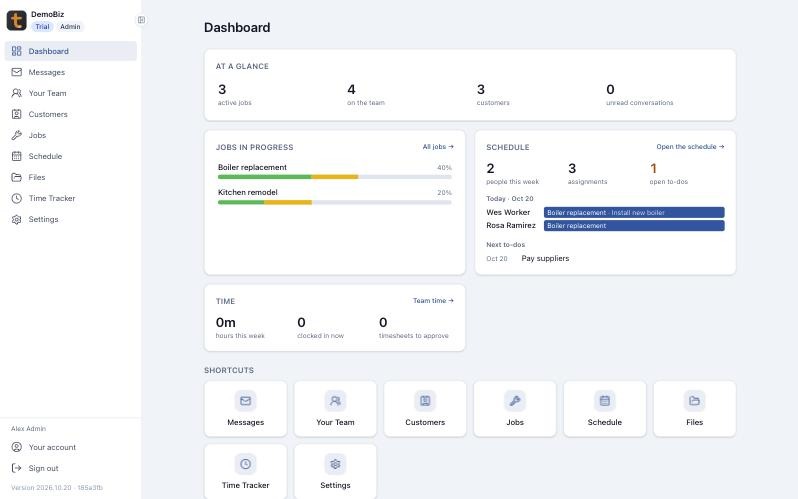
How a job runs in Tailgate
From the first call to the final walkthrough
- 1 · CUSTOMERAdd the customerHarbor View Apartments, with notes and files on their record.
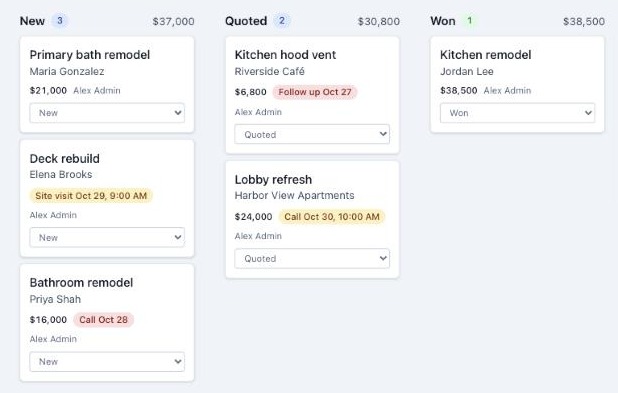
- 2 · SALESWin the workMove it from New to Quoted to Won, with the next call booked.
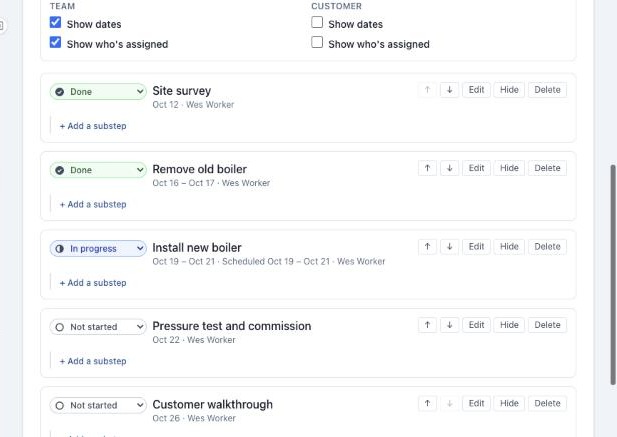
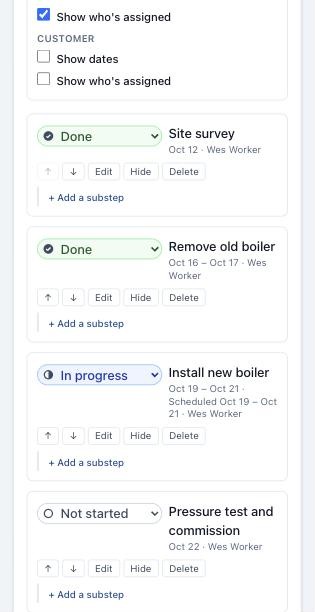
- 3 · JOBOpen the jobBoiler replacement, HV-101, at $95.00/h, with its steps laid out.
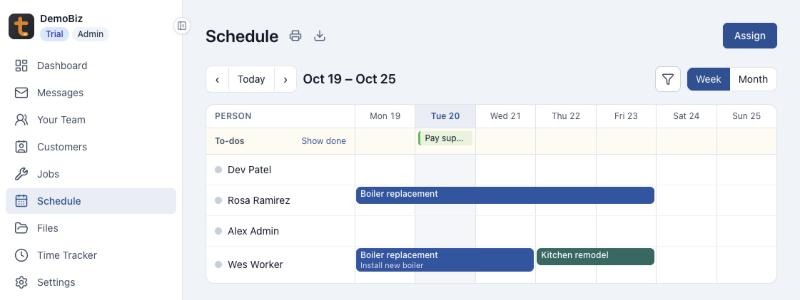
- 4 · SCHEDULEBook the crewWes on Install new boiler, Monday to Wednesday. Rosa all week.
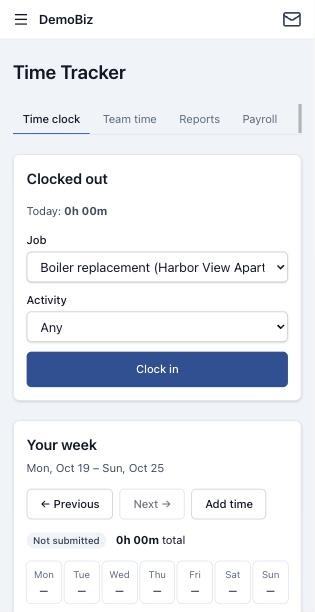
- 5 · TIMEClock the hoursClock in on site, take breaks, and submit the week for approval.
- 6 · PORTALKeep them postedThe customer follows progress and messages you from their portal.
Features
Everything the job needs, nothing it doesn't
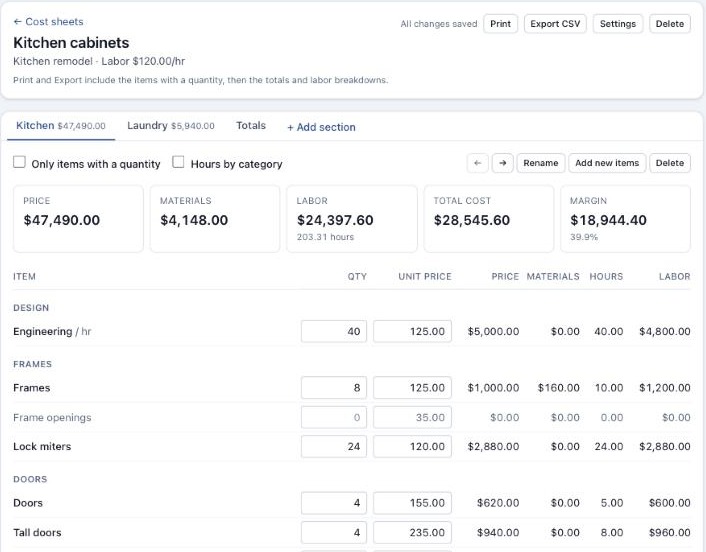
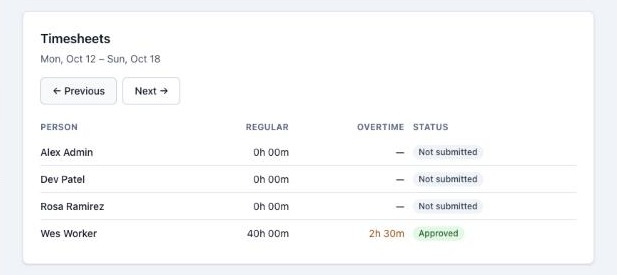
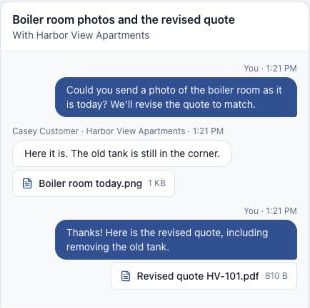
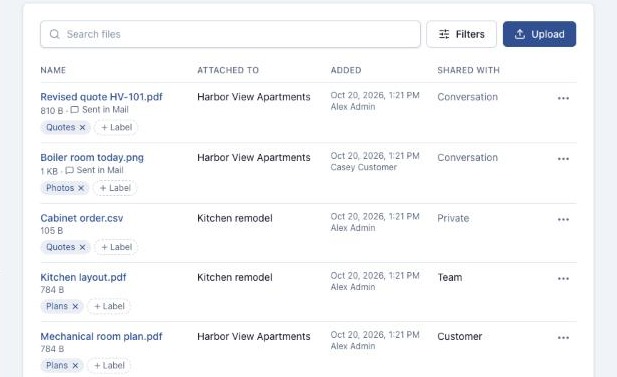
iPhone, iPad, Android, and any browser
Built for the truck, not just the office
Tailgate works on any device: a phone, a tablet, or a computer. Your crew clocks in, checks the next step, and messages the office from the job site. There are apps for iPhone, iPad, and Android too.
Customer portal
Your customers get their own front door
Each business gets a portal with its name and colours, at its own address. Customers sign in to follow their jobs, open files you've shared, and message you.
How the portal works →Your team
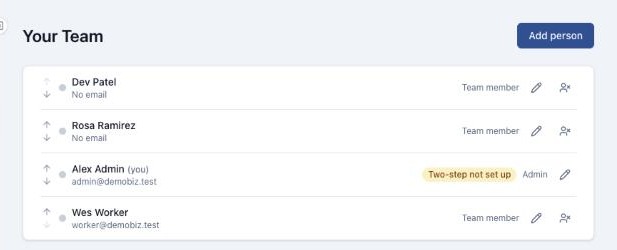
Four simple roles
Give each person the access their job needs. Team members see only their own time and records.
- Add crew who never sign in, and invite them later
- Two-step sign-in with an authenticator app, a text, or an email
Security
Your business data stays your business
One business can never see another's records: the database itself keeps them apart. Two-step sign-in, passkeys, and an audit log of every change come as standard.
See Tailgate with your own jobs
Leave your email and phone number, and we'll walk you through a live demo business with real jobs, schedules, and timesheets.